Skip to content

Upform · Workout planner & trackerTrain with a plan. See it pay off.

Answer a few questions and get a personal workout plan in under a minute. Then log every set, rest on time, and watch your records climb.

  • Personal plan
  • Home or gym
  • Track your PRs
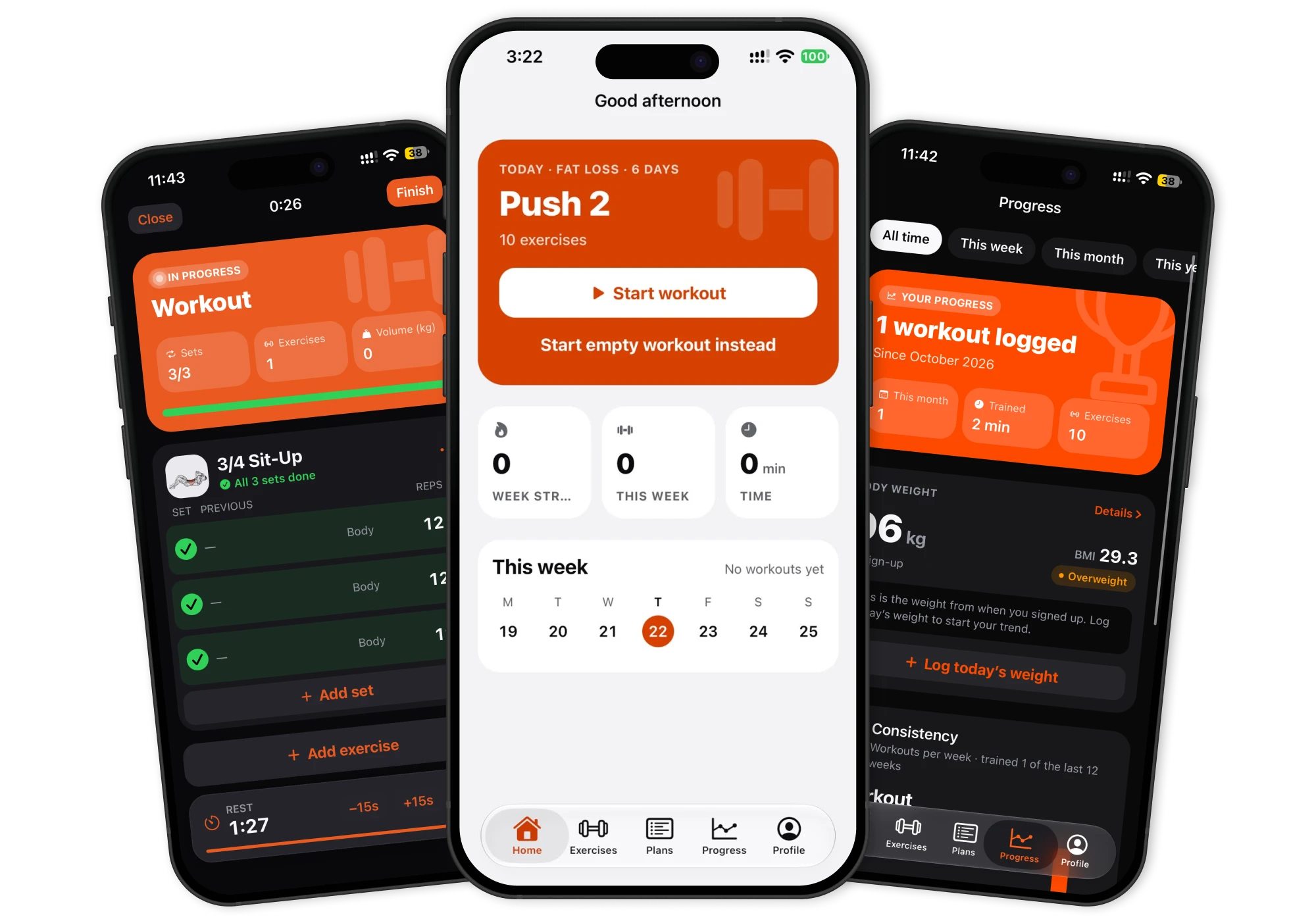
Upform on iPhone: the home screen with today's planned workout, flanked by the workout logger and progress screens

The app

Everything for the workout. Nothing in the way.

Upform brings the exercise library, your training plan and the workout tracker together in five tabs: Home, Exercises, Plans, Progress and Profile.

  1. 1Home

    Know exactly what to do today.

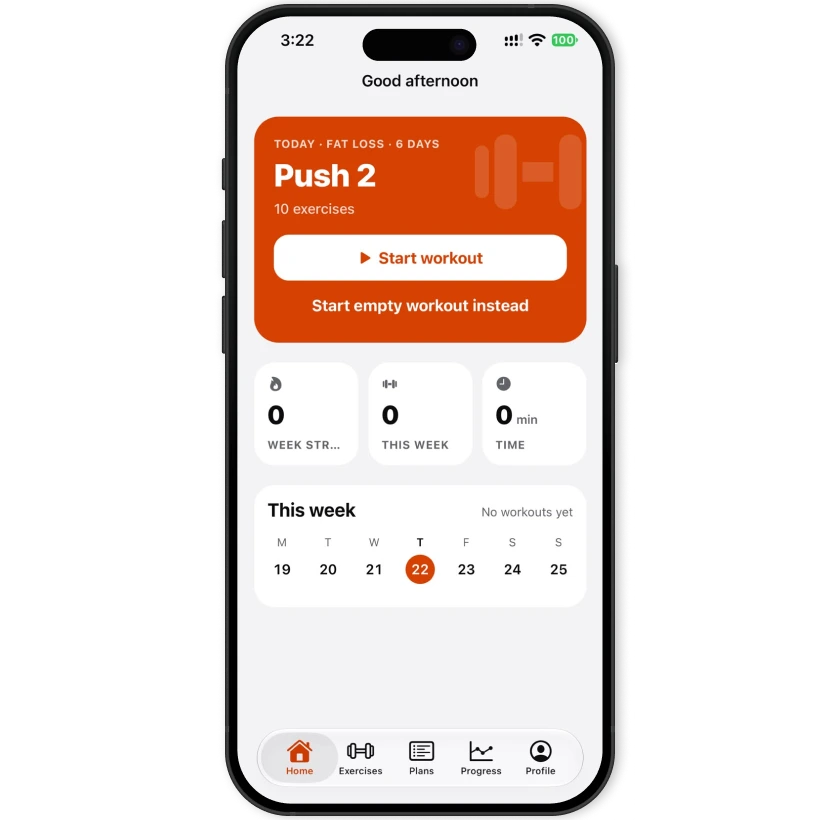
    Open the app and today's workout from your plan is waiting, ready to start. Rest days say what's next.

    • Week streak, workouts this week and time trained
    • Missed a day? Do it today, move it, or skip it
    Upform home screen with today's planned workout and weekly stats
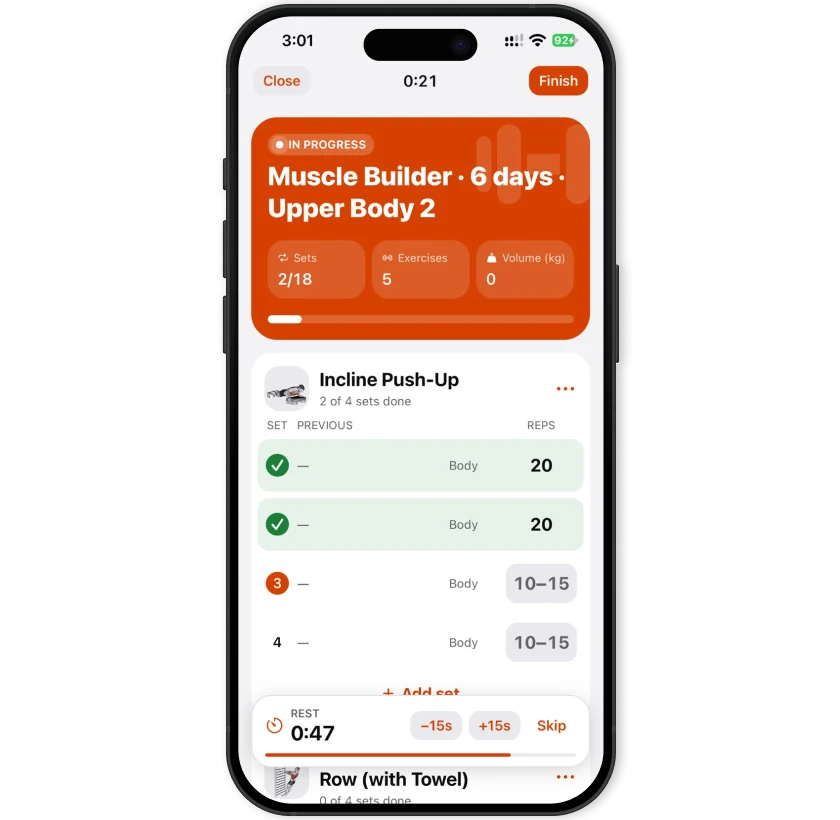
  2. 2Workout

    Log a set in seconds.

    Your last performance sits beside every set and your plan's targets show as placeholders. Tick a set, and the rest timer takes over.

    • Rest timer you can nudge by 15 seconds or skip
    • Weight × reps, bodyweight reps and timed sets
    Upform workout logger with previous results, set check-offs and a rest timer
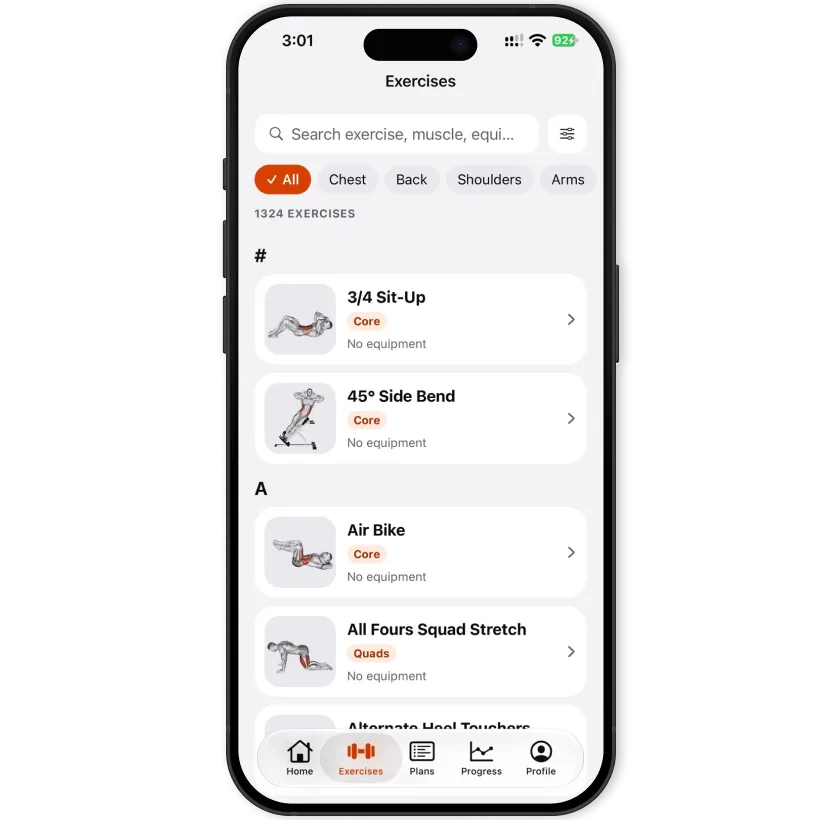
  3. 3Exercises

    1,324 exercises, one search away.

    Find any movement by name, muscle or equipment. Search understands gym shorthand like “db”, “ohp” and “rdl”.

    • Filter by muscle group and by equipment
    • Step-by-step instructions and tips for each exercise
    Upform exercise library with search and muscle filters
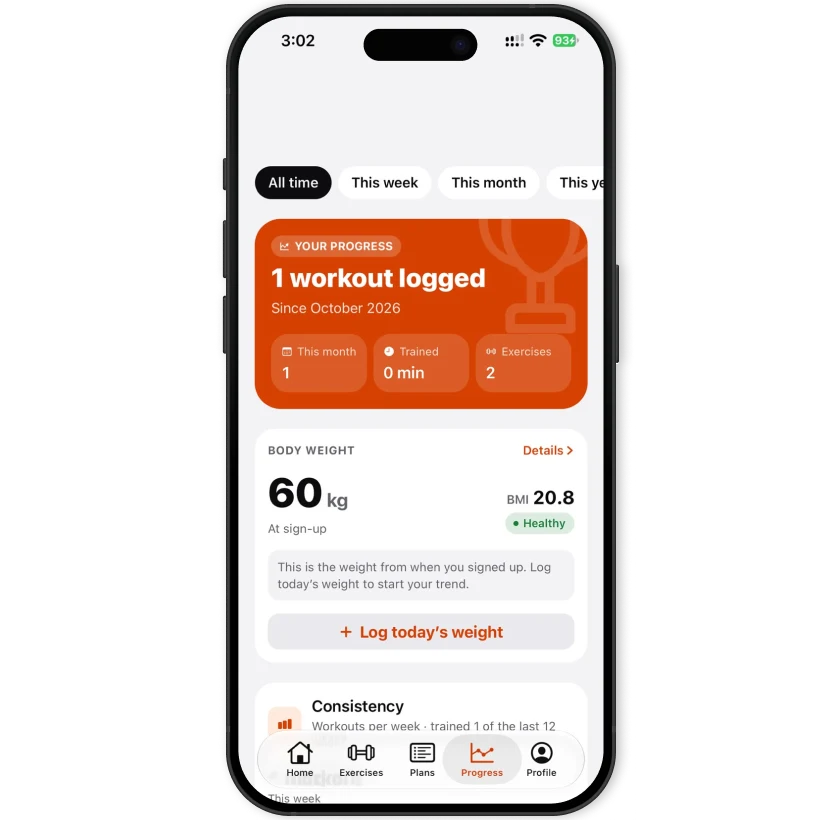
  4. 4Progress

    Watch the work pay off.

    Personal records, a chart for every exercise and your consistency over the weeks, all worked out from the sets you've logged.

    • Heaviest weight, best set, most reps, longest set
    • Weekly consistency and a training calendar
    Upform progress screen with consistency chart and personal records

Features

Built around how you actually train.

A workout planner, an exercise library and a workout tracker that works offline, in one app.

Workout planner

A personal plan in under a minute.

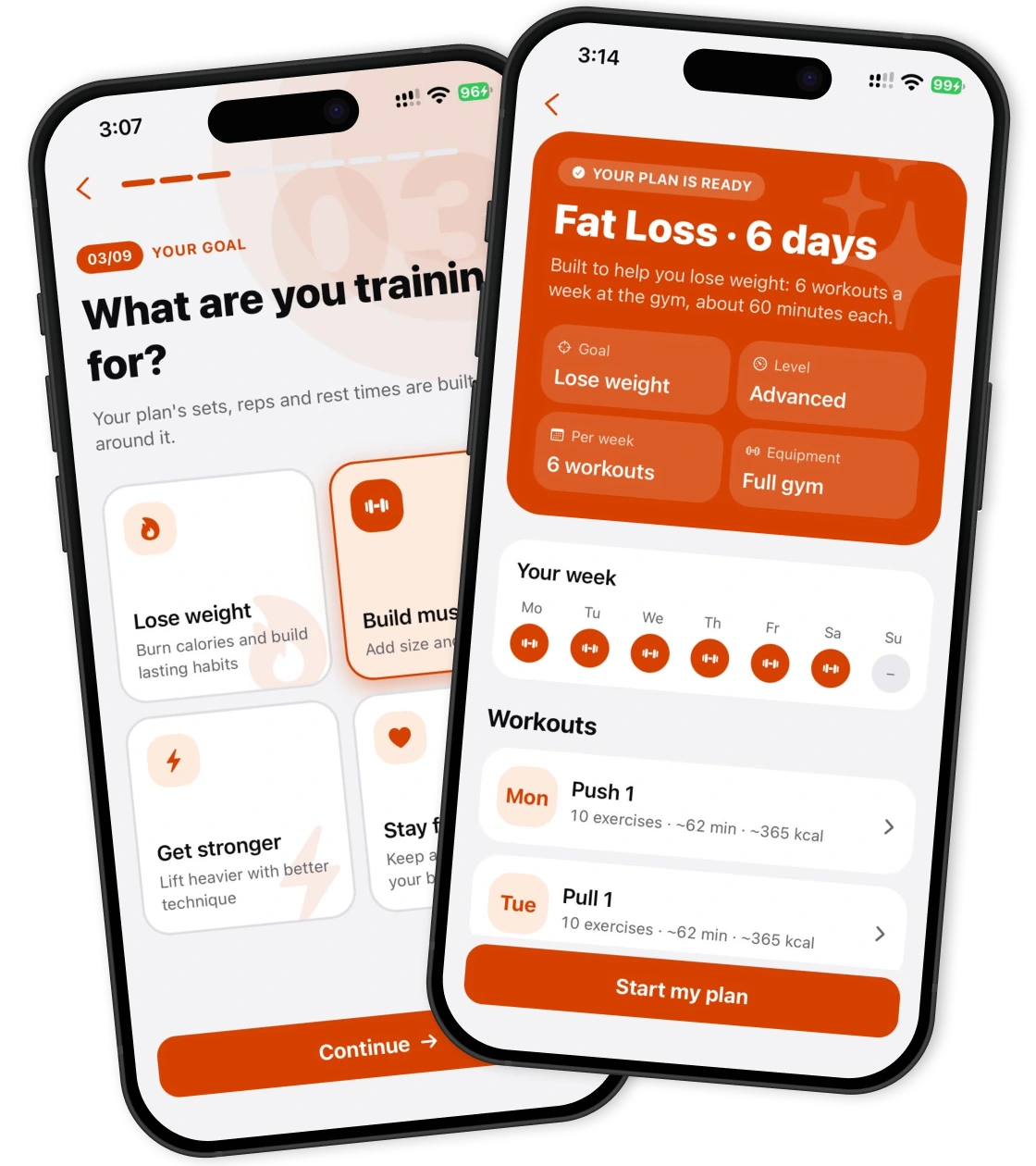
Tell Upform your goal, the areas you want to work on, your experience, where you train, and how much time you have. It builds the plan and puts it on your week.

Days a week

2 to 6

Session length

15 · 30 · 45 · 60 min

  • Mon
  • Tue
  • Wed
  • Thu
  • Fri
  • Sat
  • Sun

Exercise library

1,324

exercises to choose from

Search by name, muscle or equipment, then open any exercise for instructions and tips.

  • Chest
  • Back
  • Shoulders
  • Arms
  • Core
  • Quads
  • Hamstrings
  • Glutes
  • Calves
  • No equipment
  • Dumbbell
  • Barbell
  • Cable
  • Kettlebell
  • Band

Workout tracker

Rest on time, every set.

Tick a set and the exercise's rest timer starts. Add or take away 15 seconds, or skip it.

Rest

1:12

Training progress

Every record, noticed.

Upform compares each workout with your history and tells you when you beat a record.

  • Heaviest weight100 kg
  • Best set (weight × reps)90 kg × 8
  • Most reps in a set15
  • Longest set1:30

Offline first

No signal in the basement gym? No problem.

Every set is saved on your phone the moment you tick it, so nothing is lost if the app closes. When you're back online, your account backs it up and syncs it to your other devices.

  1. Saved on your phone

    Instantly, even offline

  2. Backed up

    When you're online

  3. Synced

    To your other devices

  • Reminders

    A nudge on training days at the time you pick, and an alert when rest is up.

  • Body weight

    Log weigh-ins and follow the trend on a chart in Progress.

  • Your own plans

    Build routines day by day, with sets, rep ranges, rest and notes.

  • kg or lb

    Choose your units, and switch any time without losing history.

How it works

From sign‑in to first set in minutes.

  1. STEP 01

    Sign in with your email

    Enter your email and Upform sends you a 6-digit code. No password to remember.

  2. STEP 02

    Answer a few questions

    Your goal, focus areas, experience, where you train, how many days a week and how long you have.

  3. STEP 03

    Get your plan

    Upform builds a weekly plan from your answers and puts it on your schedule. Change anything later.

  4. STEP 04

    Train and track

    Start today's workout from Home, log your sets, and watch your progress build week by week.

Upform onboarding asking what you're training for, next to the generated plan with the training week
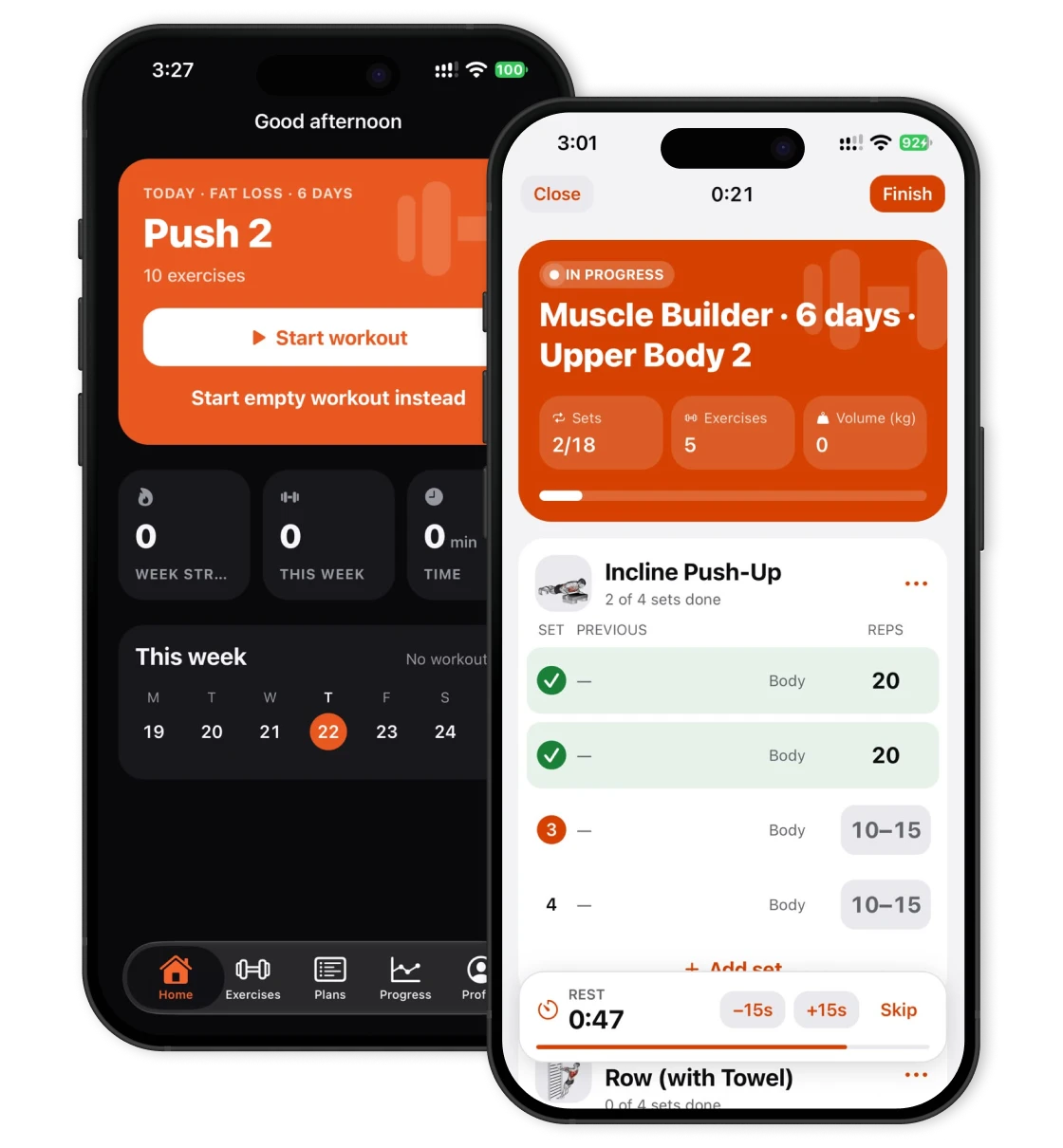
Upform home screen in dark appearance next to the workout logger in light appearance

Made for iPhone

Designed to live on your phone.

Upform is a mobile app first, built for one-handed use between sets.

  • Feels native

    Native tabs, large titles and the system font, with haptics when you complete a set.

  • Light or dark

    Follows your phone's appearance, or pick one in Profile.

  • Text that scales

    Respects your text size setting, with tabular numbers for weights and timers.

  • Works offline

    Log workouts with no connection. Your account syncs when you're back.

Coming to iPhone

Upform is being built for iPhone first. The App Store link will appear here as soon as it's live.

FAQ

Questions, answered.

What is Upform?

Upform is a workout planner and tracker. It builds a personal training plan from a few questions, gives you a library of 1,324 exercises, and tracks every set you log, along with your records and consistency.

How do I get started?

Sign in with your email address and enter the 6-digit code Upform sends you. Then answer a few questions about your goal, experience, equipment and schedule, and your plan is ready to start.

Can I train at home?

Yes. Choose where you train during setup: at home with no equipment, at home with dumbbells, or at the gym. Your plan only includes exercises you can do there.

What can I track?

Weight and reps, bodyweight reps and timed sets, with a rest timer between sets. Upform also keeps your workout history, personal records, a chart for each exercise, weekly consistency and your body weight.

Does it work without an internet connection?

Logging workouts does. Every set is saved on your phone first, so you can train with no signal. Signing in needs a connection, and your data backs up and syncs to your other devices once you're online.

Do I need an account?

Yes. An account backs up your plans and workouts and keeps them in sync across your devices. Signing in only needs your email address.

Which devices are supported?

Upform is built for iPhone. The App Store link will be listed on this page when the app is released.

Is Upform free?

The first version of Upform has no paywall, subscriptions or in-app purchases.

Your next workout starts with a plan.

Answer a few questions and Upform takes it from there.